
I'm a customer - I want to buy a car on Carmine.pt
Contact a seller on Carmine.pt
On Carmine.pt you can contact any seller with an active listing by email or phone. To do so, simply visit a car page or a professional seller's page.
In the "Contact Advertiser" section, fill in the following fields:
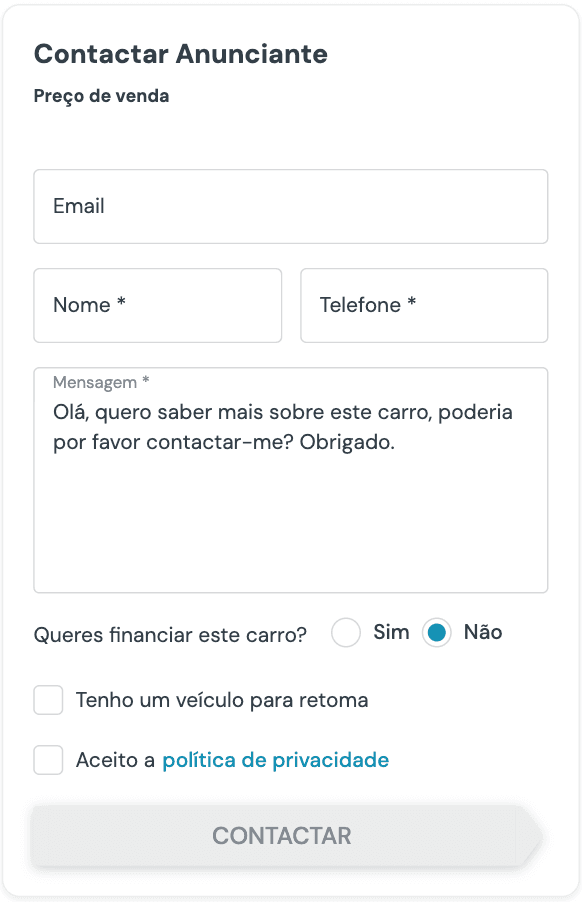
After sending the message, you will receive a confirmation email with all the details of the car you contacted.
In the "Seller Information>View phone" section you can check the sellers' phone numbers.
On your smartphone you will find at the bottom of the screen the "Call" option to call the seller directly, or "Contact" if you want to send a contact via email.

Carmine.pt tip:
To increase your chances of a successful purchase, when contacting the seller make sure you send a clear and detailed message. Happy shopping!
Your saved contacts
With an account created and logged in, all contact forms you send to a seller will be saved in your personal area so you can consult them whenever you need.
Make sure you always use the email you registered with and ensure you are logged in, as only then will it be saved in your private area, associated with your email.
What is a featured car
On Carmine.pt you can contact any seller with an active listing by email or phone. To do so, simply visit a car page or a professional seller's page.
Home Page
Computer
Smartphone
Car listings
Computer
Smartphone
The featured cars you will find are cars that sellers have decided to give even greater prominence.
How to create an account
To have a personal account on Carmine.pt you must follow these steps:
Go to the menu section and click "Sign in"
Via computer or tablet

Via smartphone
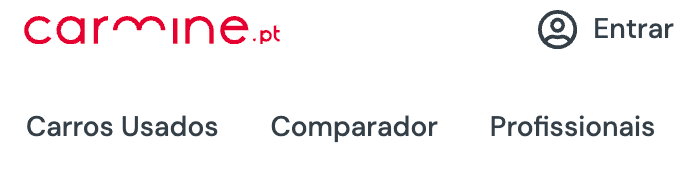
Next, click "Create account"
Enter your Name, Email and set your access Password
During the previous step, confirm that you have read and accept the Terms and Conditions and whether you accept notifications and communications that you can change at any time through your personal area
Finally, you will receive an email for validation and confirmation of access to your Carmine.pt account :)
In your personal area you will be able to manage all your contacts, favorites and saved searches.
How to log in
Go to the menu section and click "Sign in"
Via computer or tablet
Via smartphone
Enter your email and password you set and click the button
How to change my personal data
After logging in you will enter the page of contacts made.
To edit your data you will need to click in the top right corner where you have the name you set (on computer) or on the icon located in the top left corner (on smartphone) and click "Personal Data"
Here you can change your name, password, consents and delete your account.
How to recover your password
To recover your password, click "Sign in" to go to the login page and click "Forgot your password?"
You will need to enter your email and click the "Recover Password" button and an email will be sent with a link with which you can set your password again
How to delete my account on Carmine.pt
After logging in you will enter the page of contacts made.
To edit your data you will need to click in the top right corner where you have the name you set (on computer) or on the icon located in the top left corner (on smartphone) and click "Personal Data"
Click "settings" to delete your account.
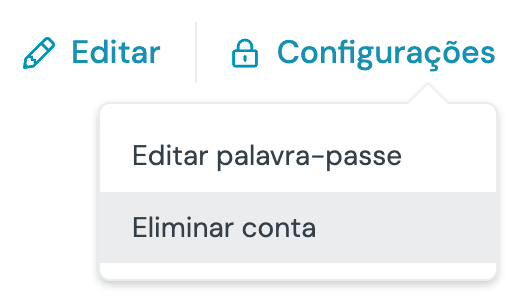
Click "Delete" if you want to completely delete your account or "No, cancel" if you want to cancel.
Carmine.pt tip:
If you delete your account you will lose all your contacts, favorites and saved searches.
You can create a new account using the same email, but you will not have access to information you had previously saved.
My Favorites
On Carmine.pt you can save all your favorite cars that interest you the most.
On all cars you can find the symbol that will allow you to add/remove as Favorites.
My Saved Searches
On Carmine.pt you can save your preferred searches. This feature allows you to receive an email notification whenever new listings appear in that search so you stay up to date with all the news.
On the "Used Cars" page you can find the symbol that will allow you to add/remove your searches. You can also view and manage them from your personal area.
Need additional help?
If you need help from our team or want to report a problem, submit your request by clicking the REPORT button and we will get in touch with you as soon as possible.
You can always use our email for other matters: ajuda@carmine.pt